Making Quests
This guide covers everything you need to know about creating and generating quests in World Wizard — from quick AI-generated adventures to fully handcrafted questlines.
Quests are a type of Chronicle in World Wizard. Chronicles come in two flavors: Quests (structured adventure outlines) and Entries (freeform narrative documents like journal entries or session recaps).
What Is a Quest?
A Quest is a structured adventure outline that World Wizard generates with built-in sections for everything a DM needs to run an encounter-driven session. When you generate a quest, you get:
• Overview — A brief summary of the adventure
• Hook — Multiple ways your players can discover and engage with the quest
• Key Game Assets — NPCs, items, and locations involved
• Encounters — A sequence of encounters (Social, Exploration, or Combat)
• Rewards — Items, currency, XP, or other progression
• Quest Twist (optional) — An unexpected revelation to keep things interesting
• Outcomes — What happens on success, failure, or partial completion
This structure gives you a ready-to-run adventure while leaving plenty of room for improvisation at the table.
Generating a Quest
From the Dashboard
The quickest way to generate a quest is from your campaign Dashboard.
1. Make sure you have an active campaign (see the Getting Started guide if you need help with this)
2. From the Dashboard, click the Quest button in the generator options 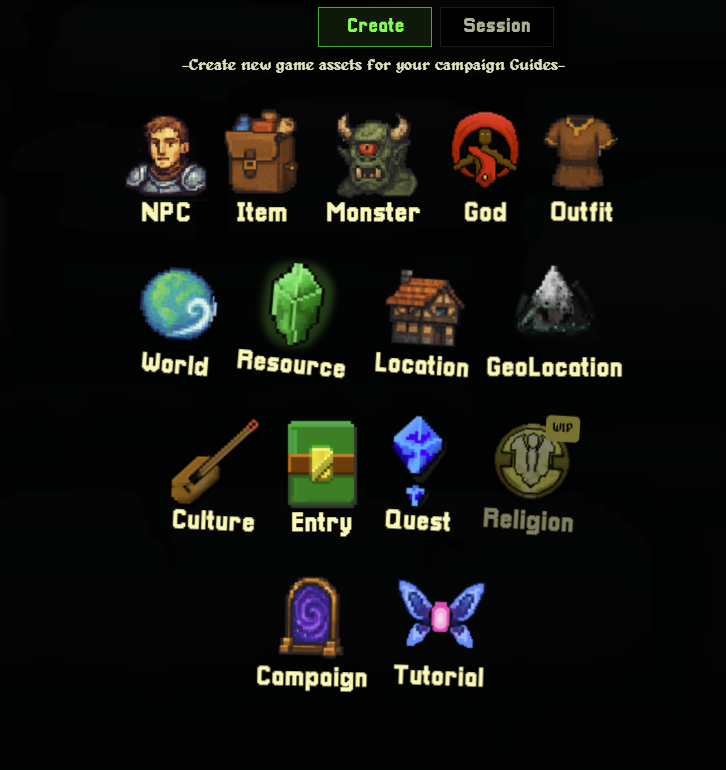
3. Type a description of the adventure you want to create 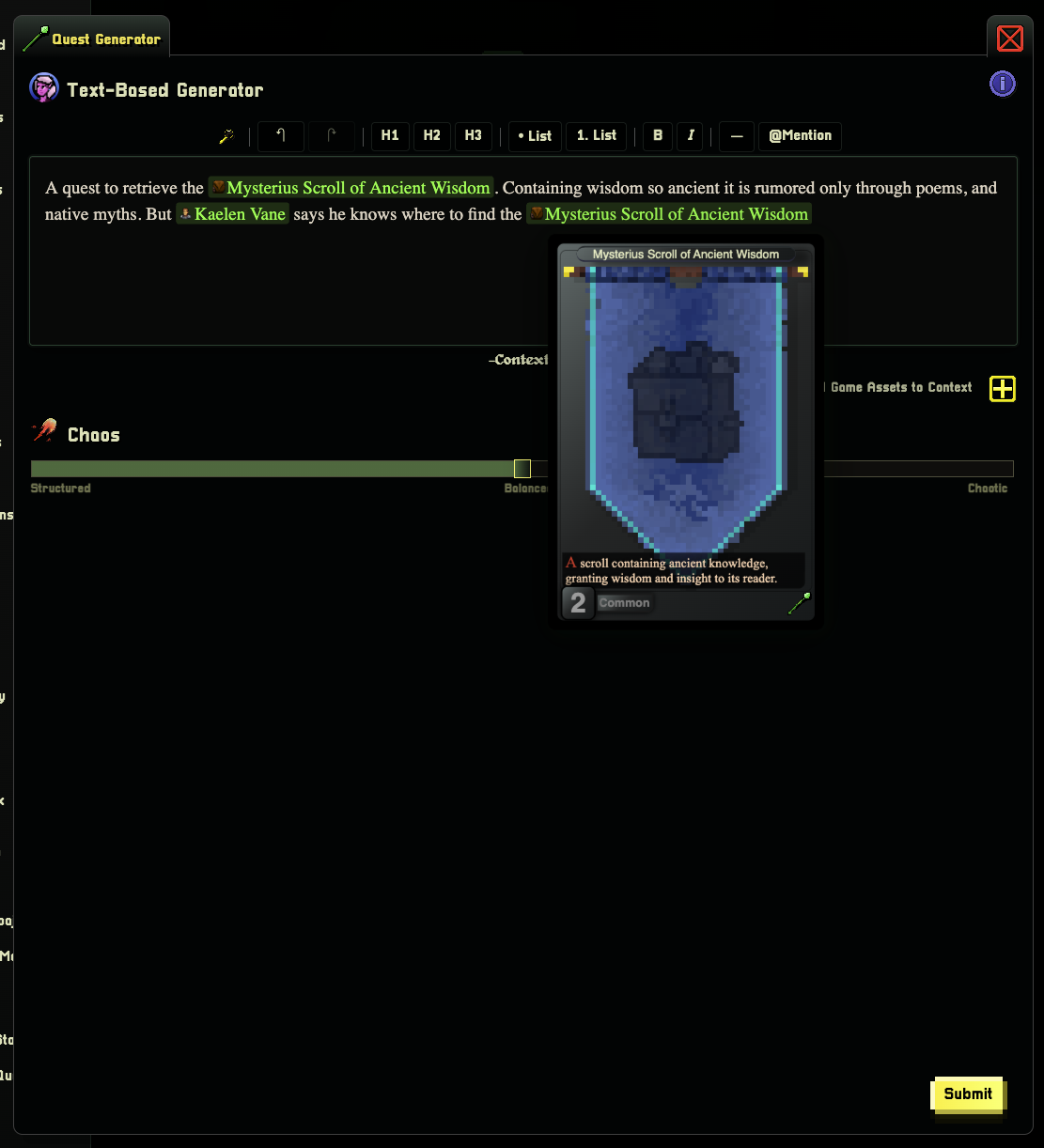
Passing in context inline via the @mention system will pass your content to the quest generator. (see the Context Engine)
Generator Options
The quest generator gives you a few options to fine-tune your output:
• Prompt — Describe the quest you want. This is the main input field where you tell World Wizard what kind of adventure to create
• Context — Attach existing Game Assets (NPCs, locations, items, etc.) to give the generator more to work with
• Randomness — A slider from Structured to Balanced to Chaotic. Lower values produce tighter, more predictable quests. Higher values introduce more creative surprises
If you leave the prompt empty, World Wizard will generate a seed prompt for you automatically.
Using Context for Better Quests
Context is the secret sauce for making quests that feel connected to your world. There are two ways to add context:
Adding Game Assets as Context
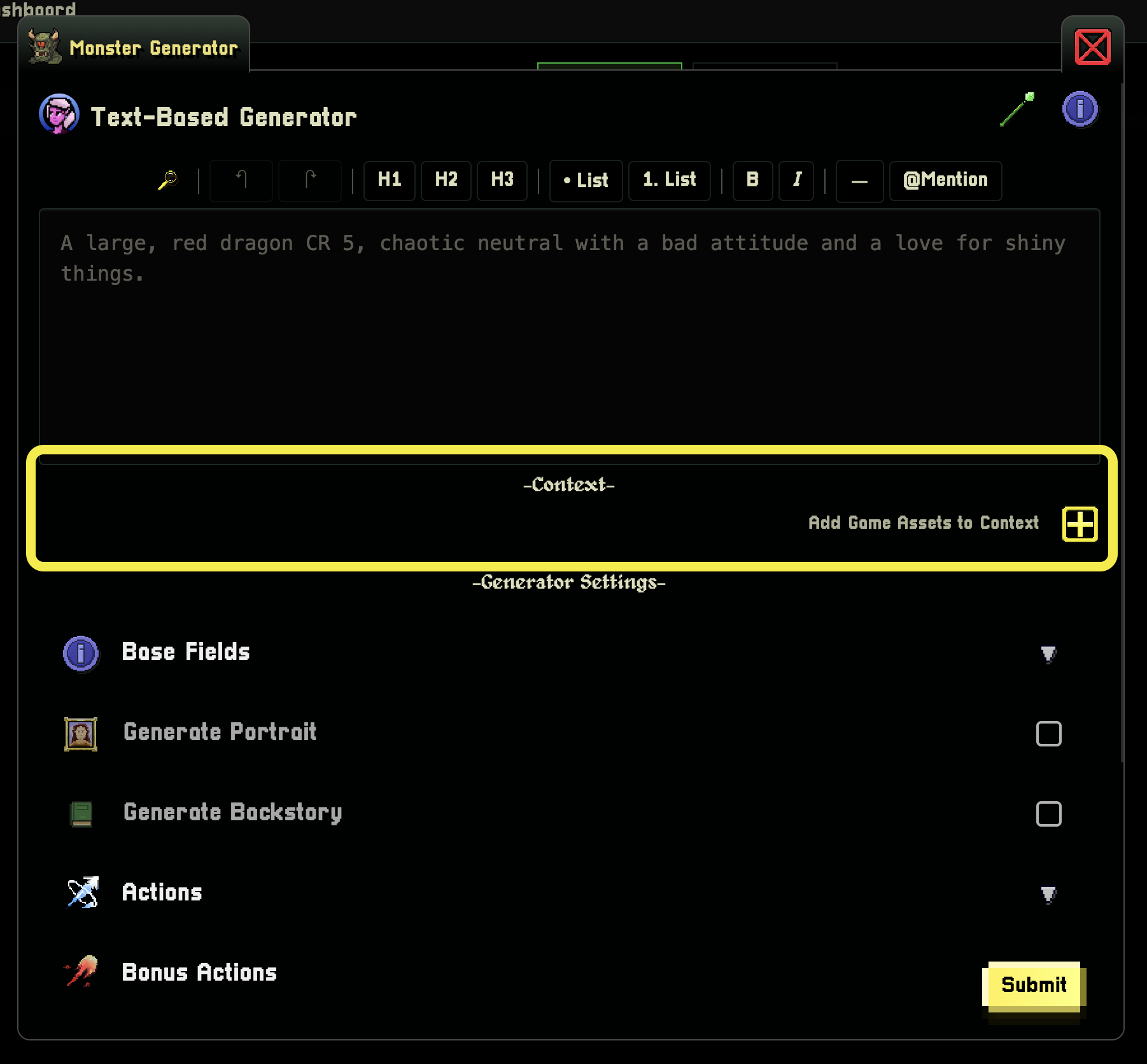
Click the + button in the context section to browse your campaign's Game Assets and attach them to the generation request.
Select the assets you want to include and confirm.
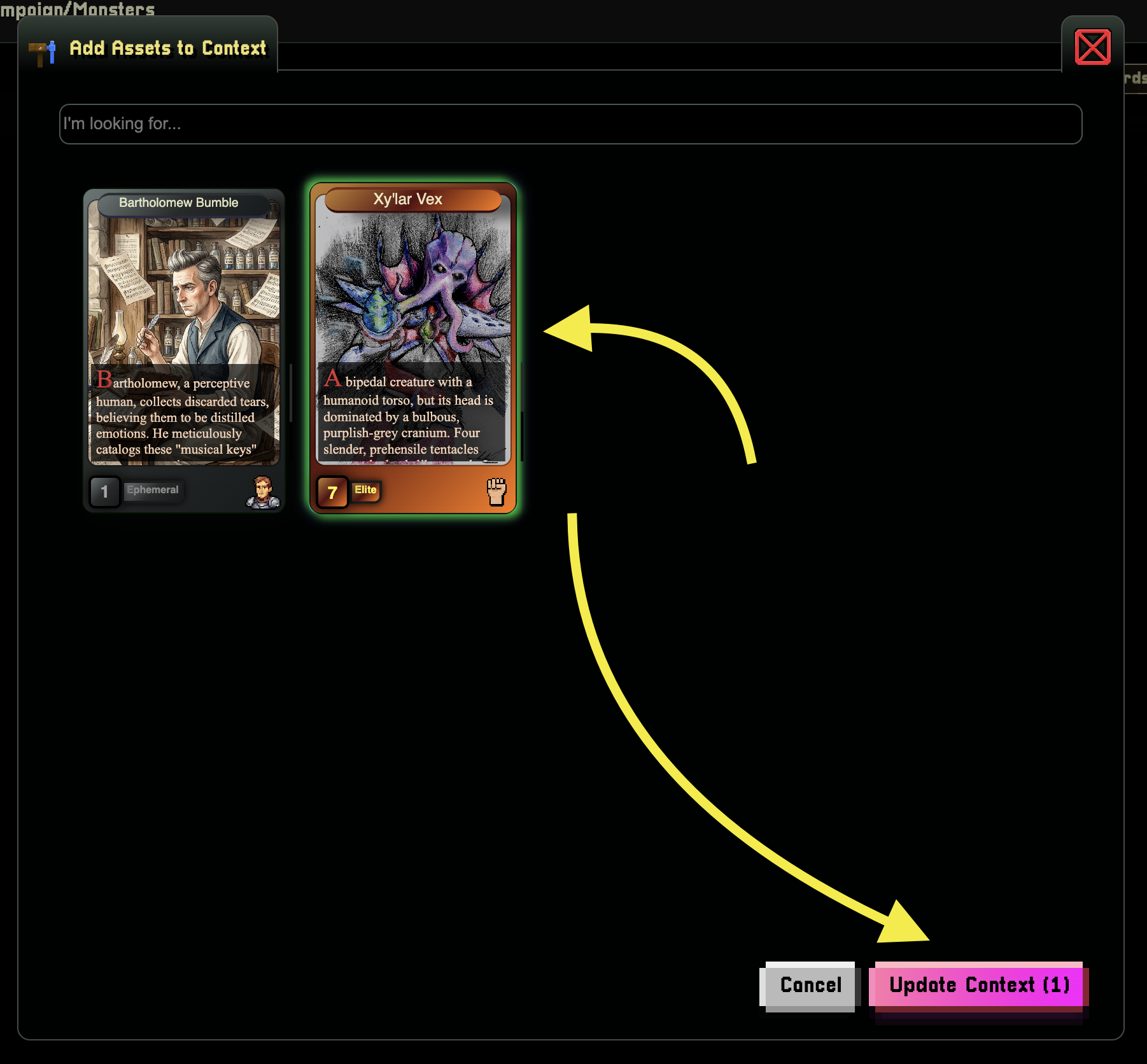
Your selected assets will appear in the context box. Toggle visibility with the eye icon to control which assets are active.
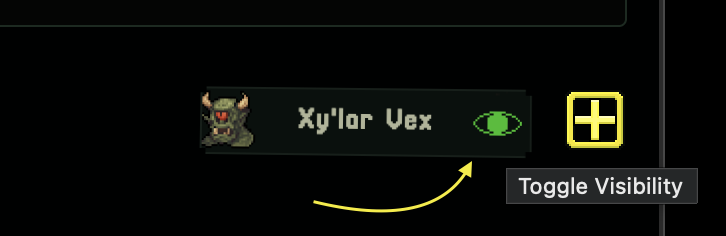
For example, if you attach an NPC named "Baron Ashford" and a location called "The Sunken Crypt", the generated quest will weave those assets into the adventure naturally.
Inline Context with @Mentions
You can also reference assets directly in your prompt using the @ mention syntax:
> "The players must retrieve a stolen artifact from @The Sunken Crypt for @Baron Ashford, who promises a reward of @Blade of the Fallen King"
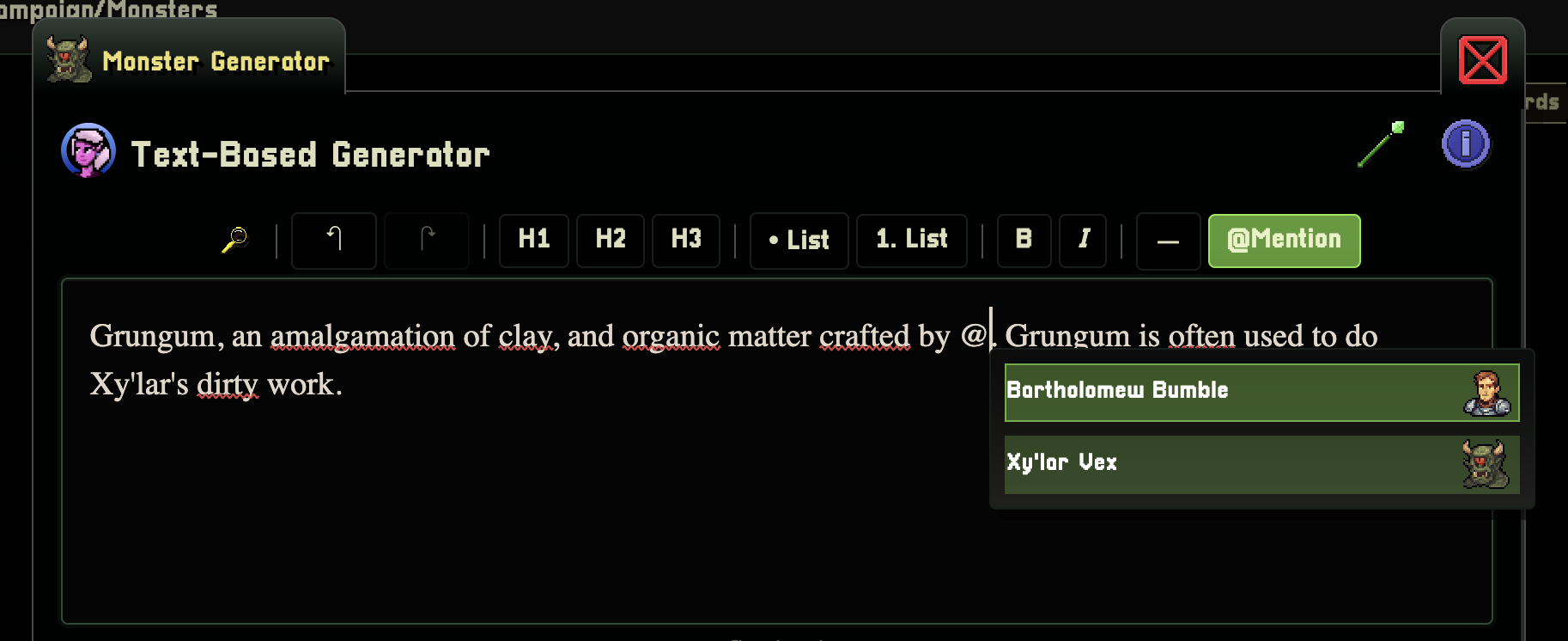
Inline context gives you more control over how the context is applied. Instead of letting the AI decide the relationship, you're explicitly defining the role each asset plays in the quest.
What Gets Generated
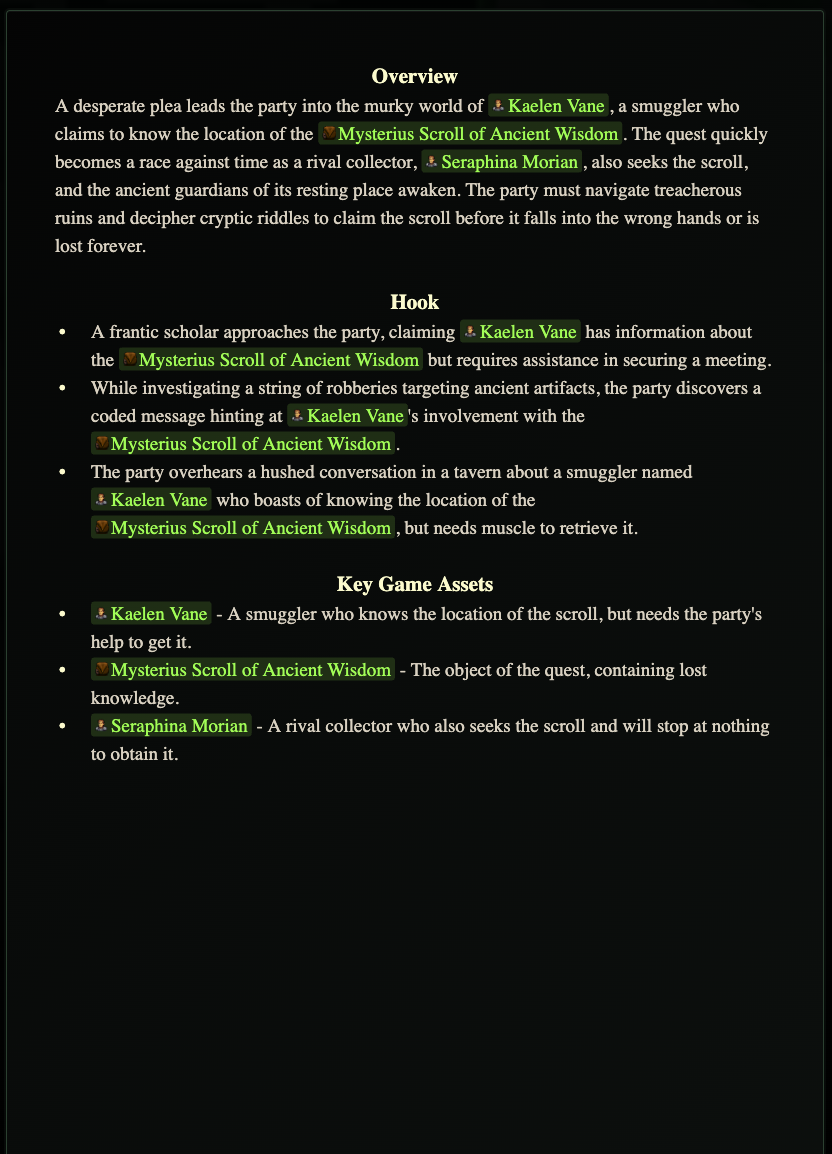
When World Wizard generates a quest, it creates a fully linked adventure. Here's what happens behind the scenes:
Auto-Generated Game Assets
If the AI invents new characters, items, or locations while writing your quest, World Wizard automatically generates those as full Game Assets in your campaign. For example, if the quest mentions a villain named "Morgathe the Blighted" who doesn't exist yet, the system will:
1. Detect the invented asset
2. Generate a full NPC with stats, personality, and backstory
3. Link the new NPC to the quest automatically
4. Place the proper reference in your quest content
This works for all asset types:
• NPCs — Quest givers, allies, villains, merchants
• Monsters — Enemies and creatures encountered during the quest
• Items — Rewards, quest objectives, key artifacts
• Locations — Dungeons, towns, landmarks where the quest takes place
• Gods — Deities relevant to the quest's plot
• Cultures — Societies and factions involved
• Resources — Materials, rare components, or trade goods
• GeoLocations — Broader geographical regions
Creating a Quest Manually
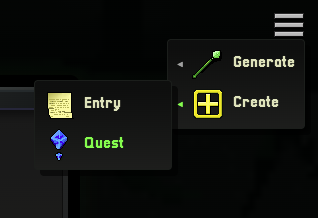
You can easily create a quest manually via the create quest option:
1. Navigate to the Chronicles tab in your campaign sidebar
2. Click Create (or find it in the hamburger menu if you already have chronicles)
You have full access to the toolbar for formatting, and you can use @mentions to link existing Game Assets throughout your quest.
Tips for Great Quests
Here are some tips to get the most out of the quest generator:
1. Load up the WorkBench — The more context World Wizard has, the better the output. Add your key NPCs, active locations, and important items before generating
2. Use descriptive prompts — Instead of "a dungeon quest", try "A quest to clear a haunted mine where the spirits of dwarven miners refuse to rest, connected to an ancient curse placed by a betrayed foreman"
3. Lean into randomness — Crank the randomness slider up when you want inspiration. Turn it down when you need something specific and predictable
4. Chain quests together — Generate a quest, add it to your WorkBench, then generate the next one. The sequel quest will naturally reference events and assets from the first
5. Mix manual and generated — Generate a quest for the skeleton, then edit it to add your own personal touches, custom dialogue, and table-specific details
6. Use inline @mentions — Explicitly telling the generator how assets relate to the quest ("@Morgathe is the final boss of this dungeon") produces tighter, more coherent results than letting the AI guess